ZenHR’s Probation Extension Automation (KSA – Article 53) is a powerful new enhancement designed to ensure compliance with KSA Labor Law, while simplifying and streamlining probation management for HR teams.
What’s New
Automatic probation period extension based on official holidays and sick leave
Any applicable days within the probation period are excluded and added automatically.
Extensions are applied while respecting the maximum limit of 180 days.
How to Activate this Feature
To activate this feature, go to:
User Menu → System Preferences →Leaves and Vacations → Sick Days Off
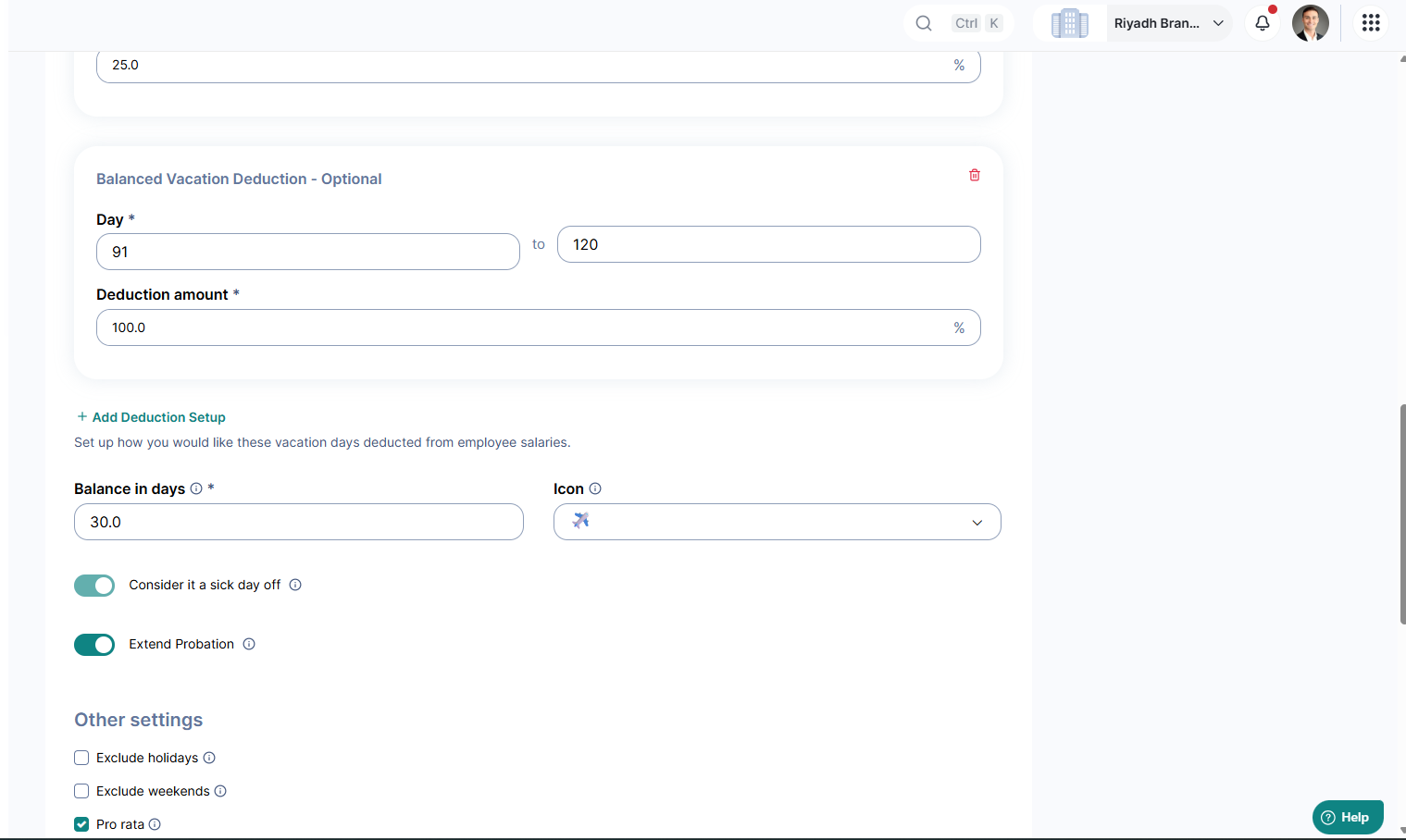
1. Sick Leave Setup
Go to System Preferences
Enable the toggle “Extend Probation” and “Consider it a sick day off”.
Note: This setting can only be edited once every hour.
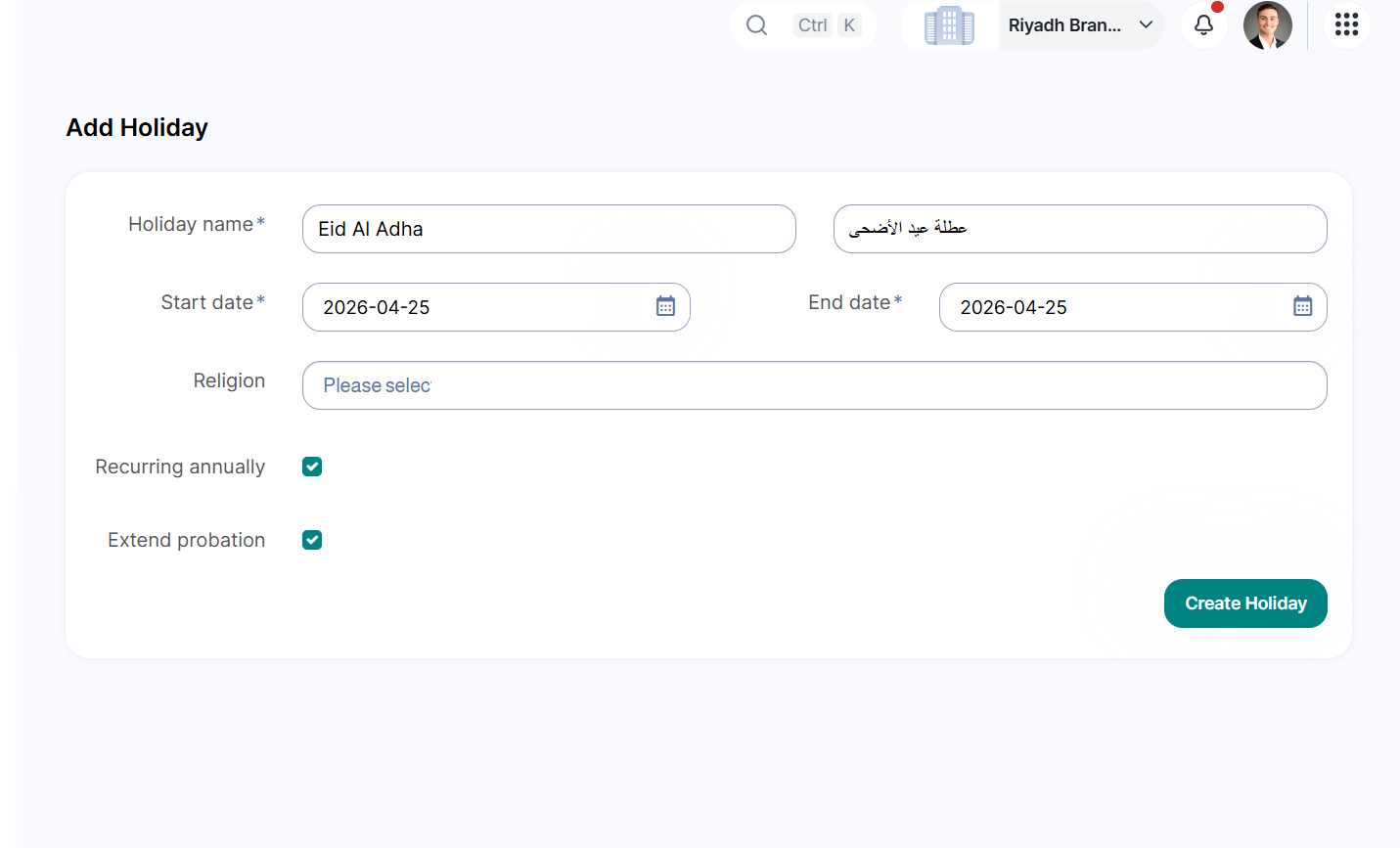
2. Holidays Setup
User Menu → System Preferences → Holidays
Go to Holidays Setup
Enable “Extend Probation”
Note: This can be activated on New Holidays; existing holidays can not be edited.
Once enabled:
Any sick leave or holiday during an employee’s active probation period will automatically extend the probation duration. The system ensures compliance by capping the total probation at 180 days
This enhancement empowers HR teams to manage probation periods accurately, automatically, and effortlessly.
Was this article helpful?
That’s Great!
Thank you for your feedback
Sorry! We couldn't be helpful
Thank you for your feedback
Feedback sent
We appreciate your effort and will try to fix the article