The Contract Management feature in ZenHR allows you to create and manage different employee contract types, define their durations, and automate renewals. Contract types play an important role in calculating vacation balances and final settlements, helping you stay accurate and compliant.
How to Add a New Contract Type
You can create custom contract types based on your company’s policies (e.g., limited-term, unlimited, probation).
To add a new contract type:
Go to Main Menu → System Preferences → Contract Types
Then click on “Add”.
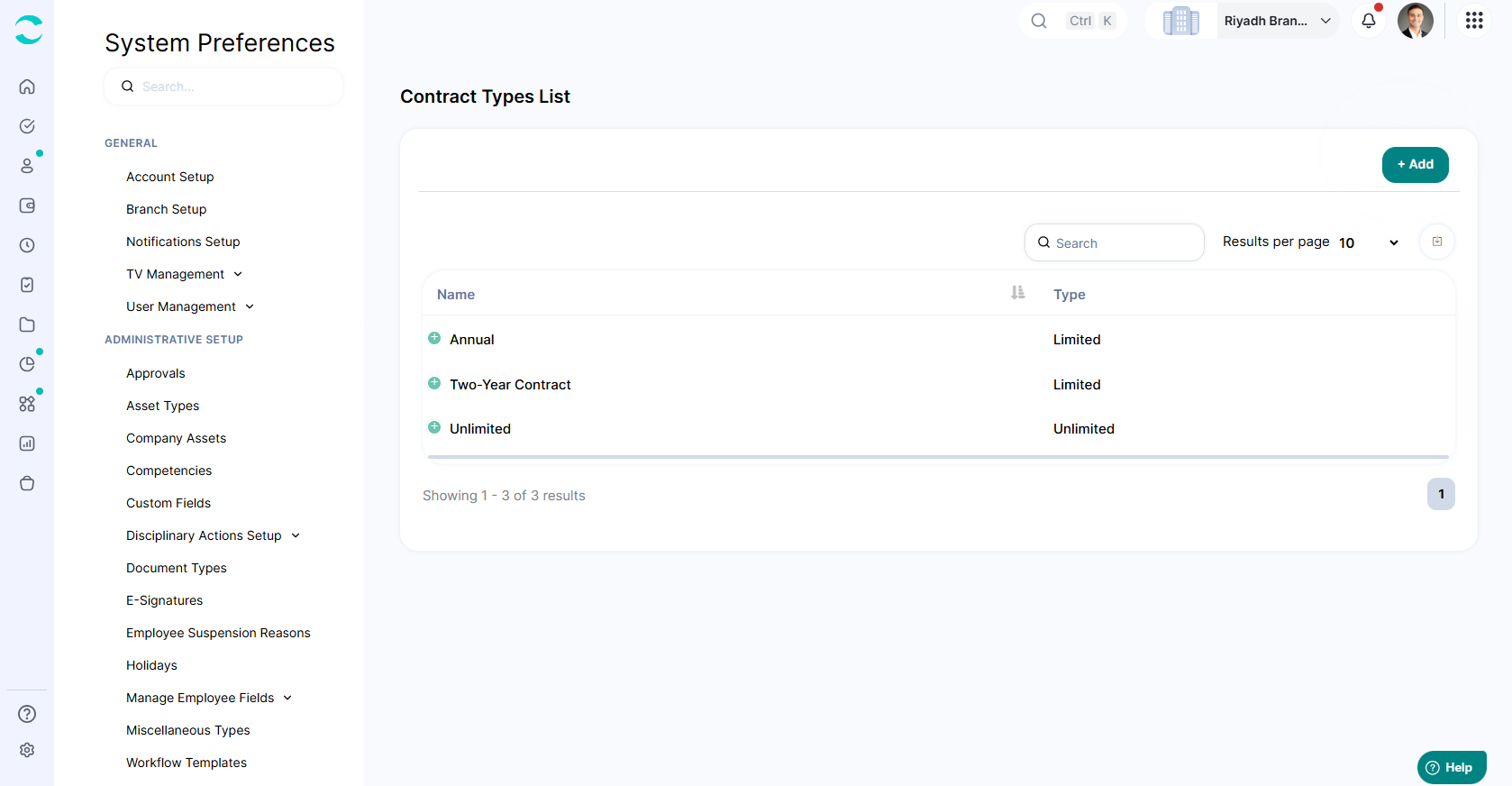
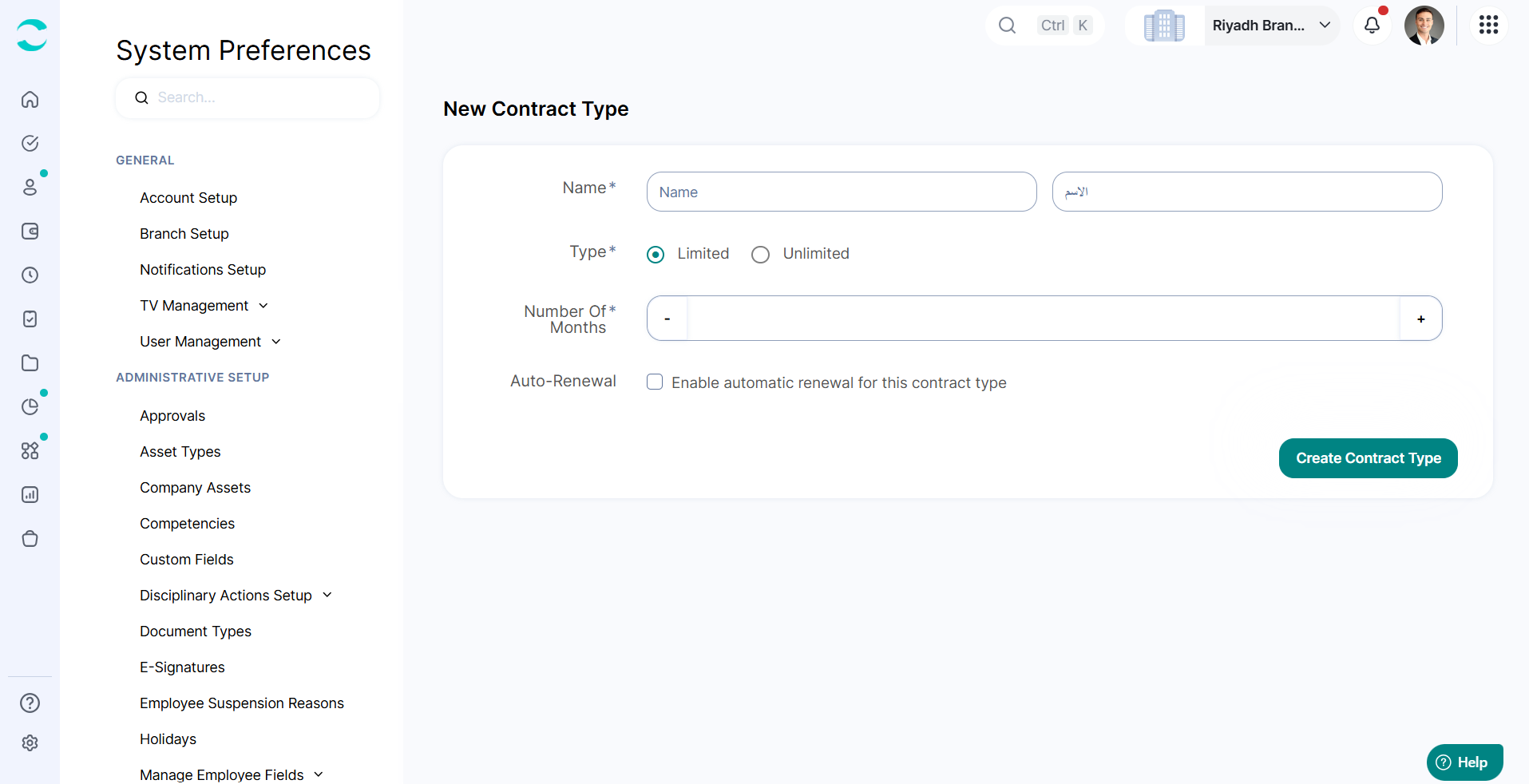
Fill in the required details:
Name: Enter a name for the contract type
Type: Select the contract category
Duration: Specify how long the contract lasts
(Optional) Enable Automatic Renewal:
Toggle on “Enable automatic renewal”
Enter the number of days before expiry that will trigger renewal
And then save your changes.
How to Assign a Contract Type to an Employee
You can assign or update a contract directly from the employee’s profile.
To add or edit a contract for an employee:
1. Go to Main Menu → Employees → Employee Management → Employee Profile
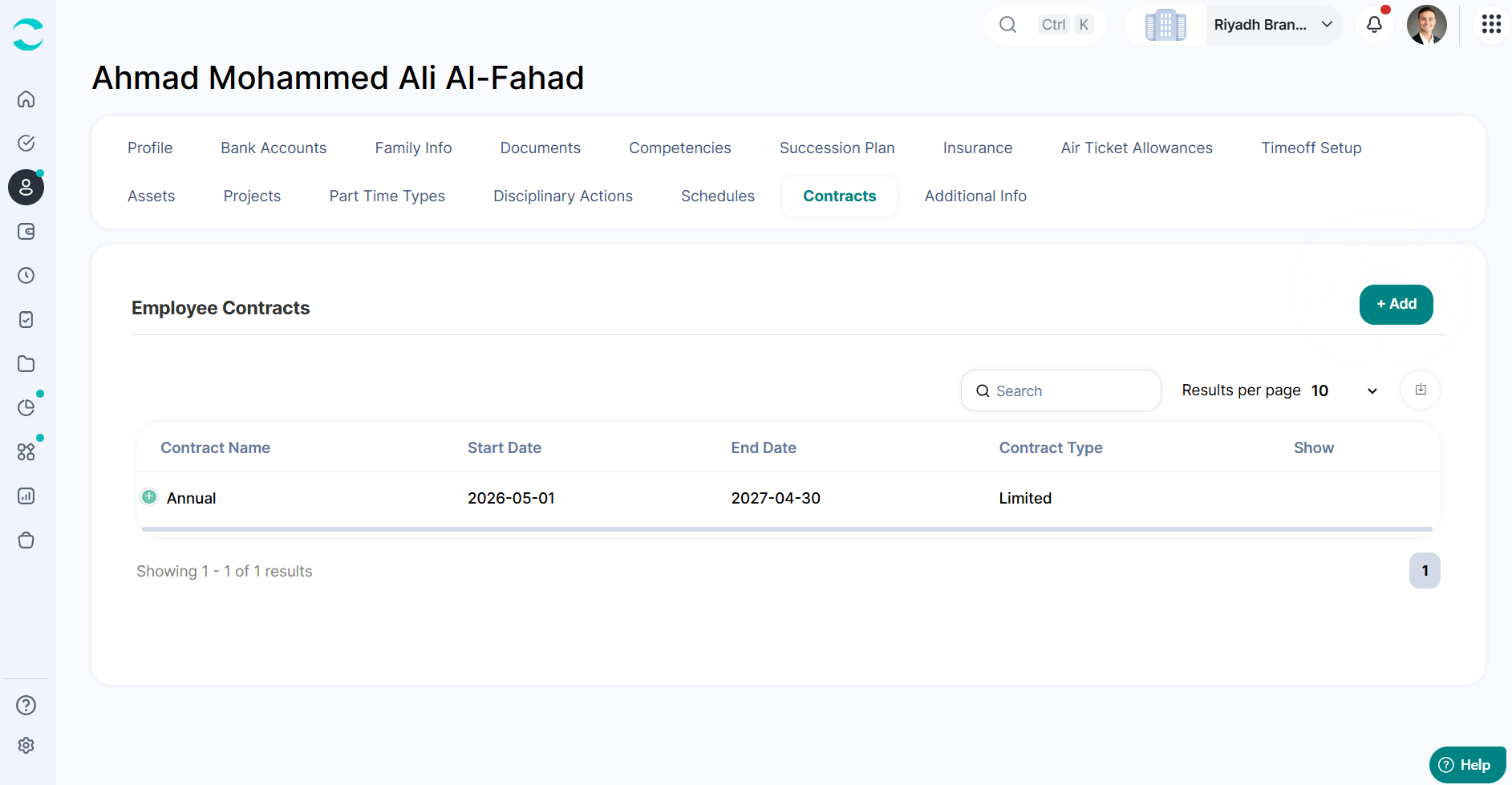
2. Open the “Contracts” tab
By default, employees are assigned an “Unlimited” contract
3. Click on the (+) icon, then click “Edit”
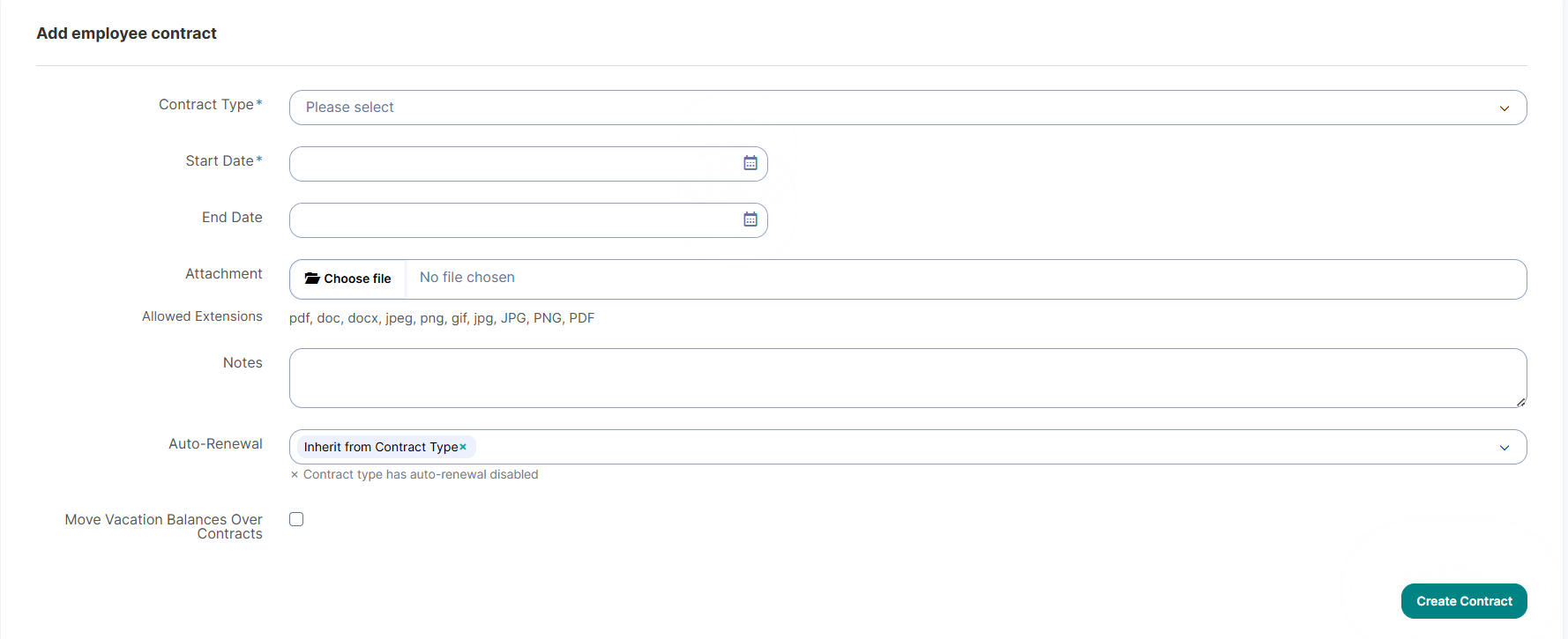
4. Complete the contract details:
Contract Type: Select the appropriate type
Start Date & End Date: Define the contract period
Notes / Attachments: Add any additional details (optional)
Check the “Move Vacation Balances over Contracts” box if you want to move the vacation balances from one contract to another.
Auto-Renewal Settings
When assigning a contract, you can control how auto-renewal behaves:
Follow the default auto-renewal settings from the contract type
Disable auto-renewal for this specific employee
Customize renewal timing by setting different trigger days
Notification Setup
Go to Main Menu → System Preferences → Notification Setup
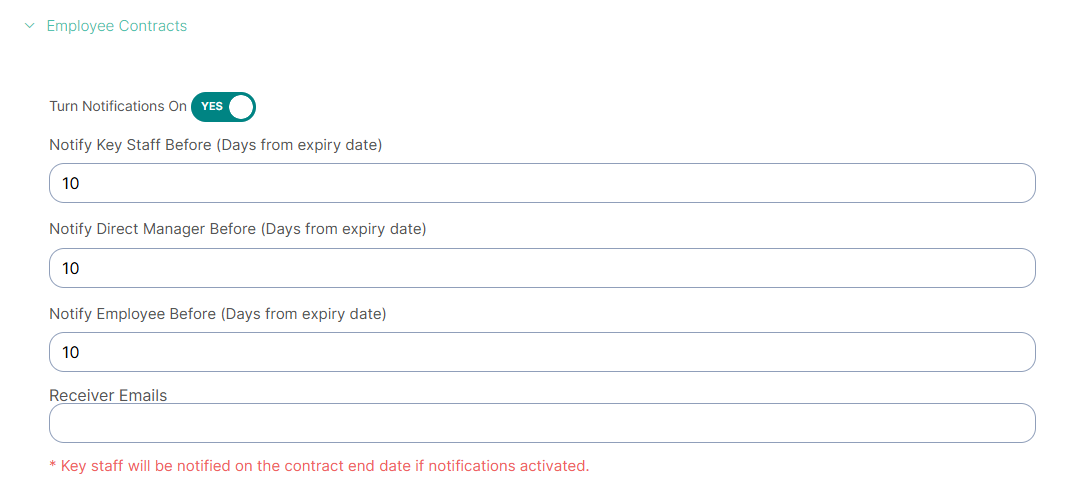
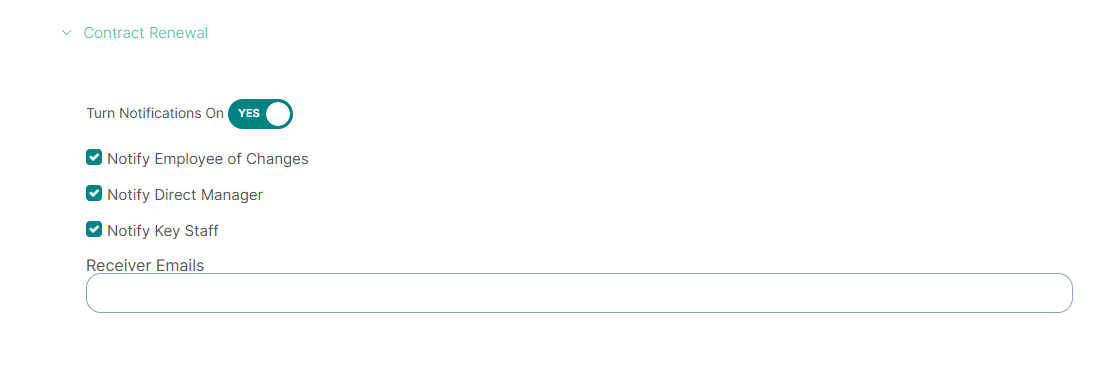
You can configure notifications to stay updated on contract activity:
Set reminders for contract expiry
Enable notifications for contract renewal
This ensures you never miss important deadlines and can manage contracts proactively.
Was this article helpful?
That’s Great!
Thank you for your feedback
Sorry! We couldn't be helpful
Thank you for your feedback
Feedback sent
We appreciate your effort and will try to fix the article