Succession Planning on ZenHR is a talent management feature that helps organizations prepare for the future by identifying and developing employees who can fill important roles when needed.
Instead of reacting when a key employee leaves, this feature allows you to plan ahead. It helps ensure business continuity, reduce operational risk, and build a strong internal talent pipeline for leadership and other critical positions.
Fully integrated within ZenHR, the feature is aligned with your organizational structure and position framework. HR teams can:
Define critical roles within the company
Nominate and manage potential successors
Assess readiness levels for each successor
Powered by ZenAI, the system provides smart, data-driven recommendations:
For internal candidates, ZenAI matches employees based on the competencies required for the position.
For external candidates, ZenAI analyzes profiles from your ZenATS Talent Pool and compares them to the job description of the target role.
This gives you a complete view of both internal and external successor options, helping you make informed and strategic decisions.
How to Use Succession Planning
Log in to your ZenHR account
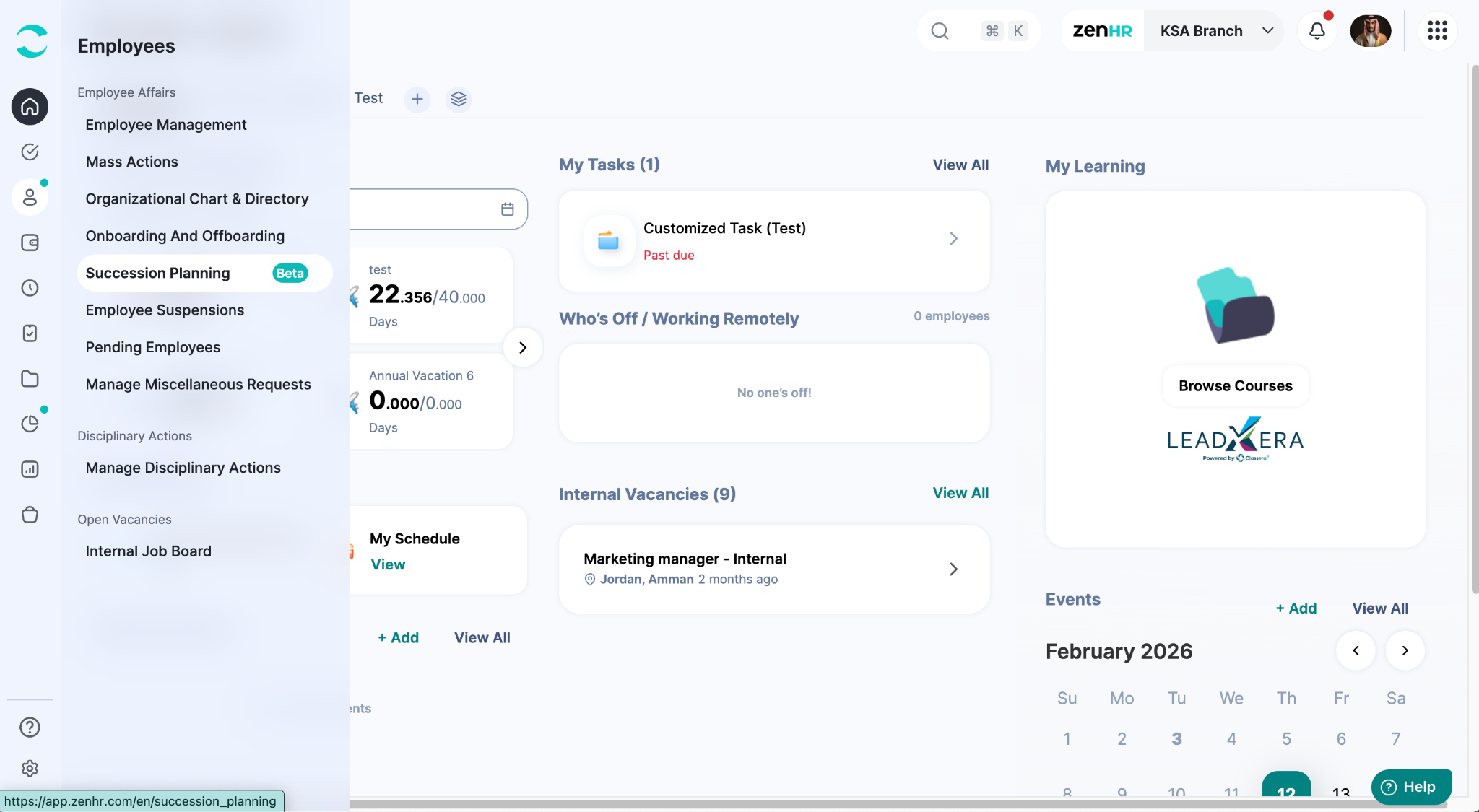
On the Main Menu, go to Employees.
Then, under Employee Affairs, click on “Succession Planning”.
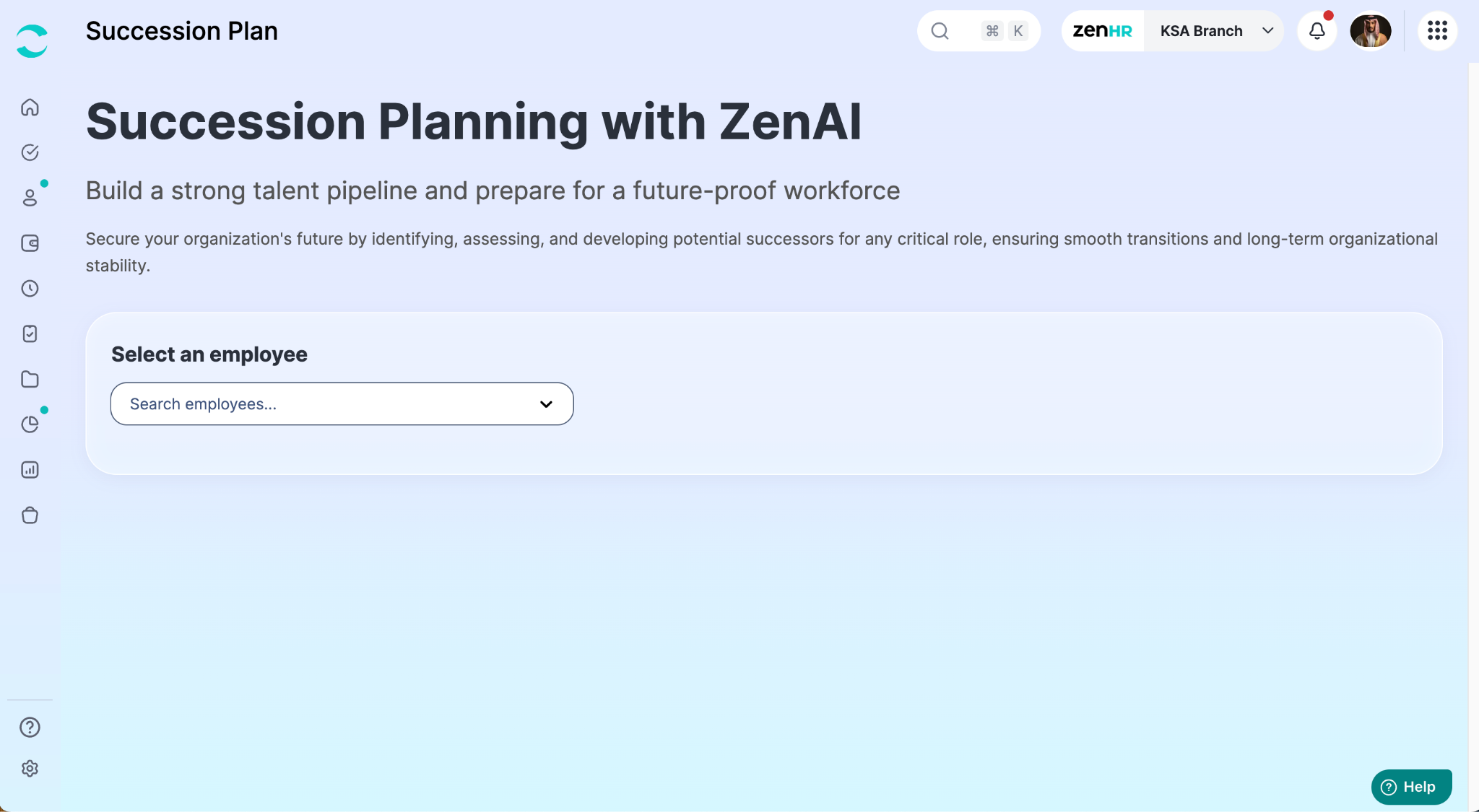
Then, on the Succession Planning page, search for the employee's name or employment number to check their successors or manage their successors.
After choosing the employee, two sections will appear:
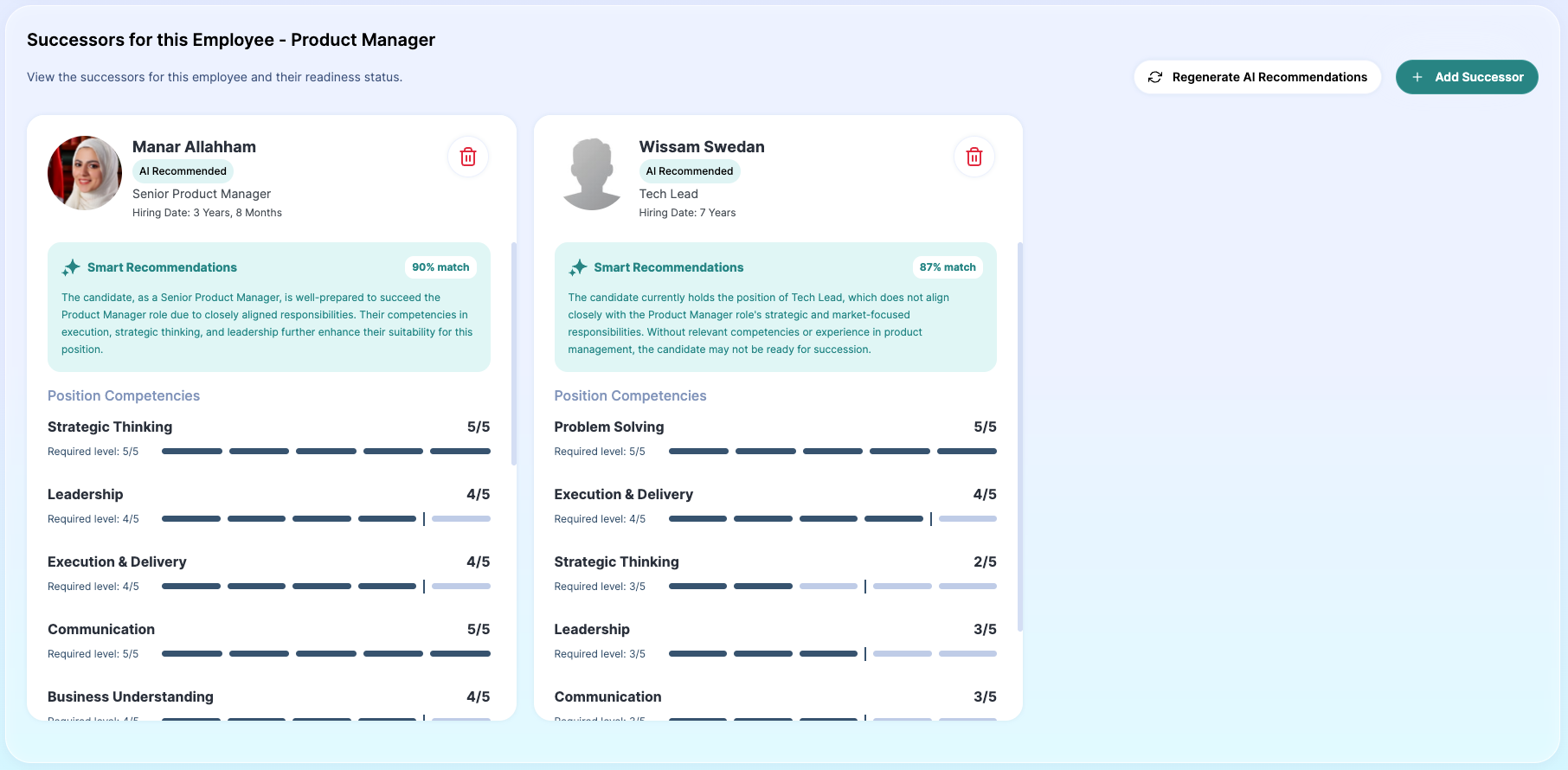
The first section will include the successors of this employee internally.
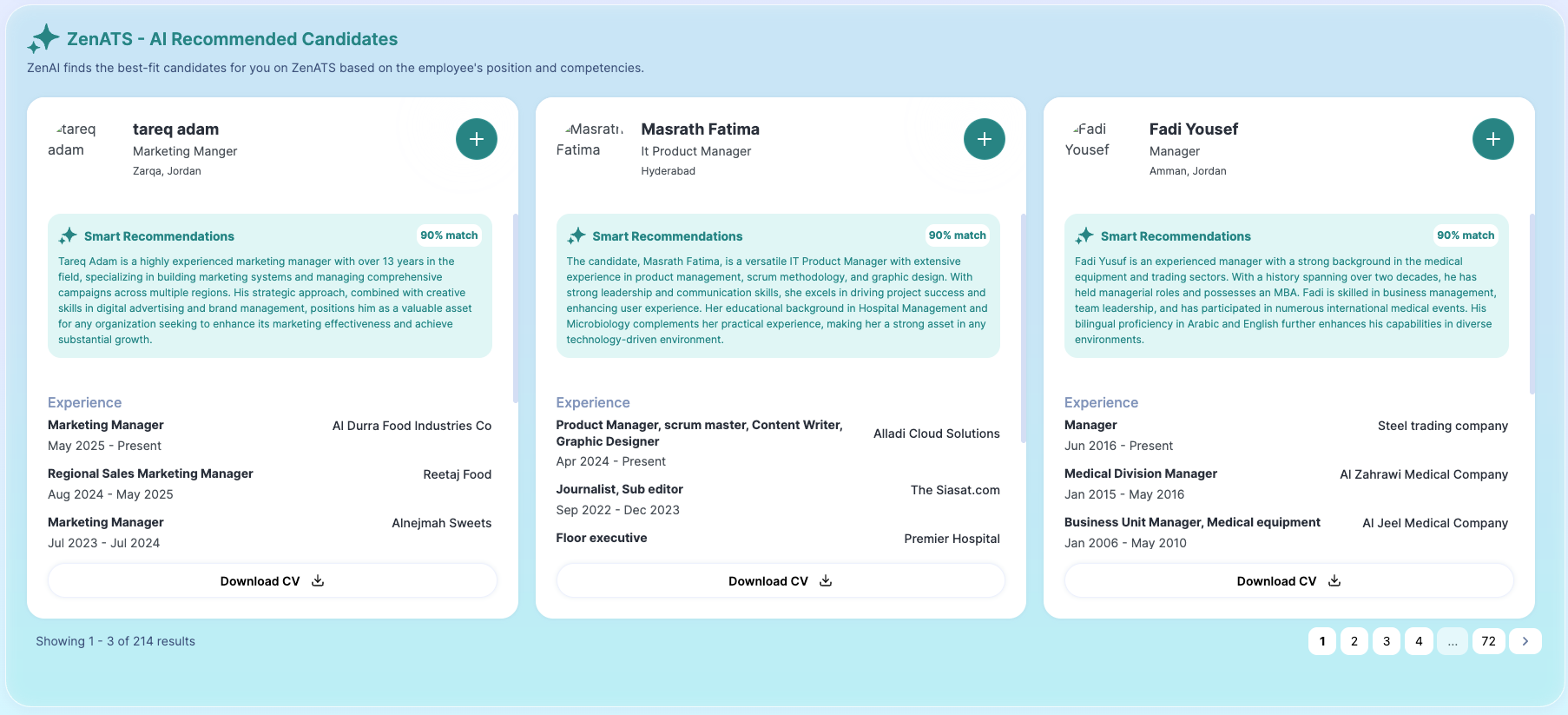
The second section will display successors from the Talent Pool of your ZenATS account.
Internal Successors of Employees
This section displays the recommended current employees who may be suitable successors for the selected position. These recommendations are generated automatically based on a competency match between the employee’s role and other employees within the organization.
The system analyzes the competencies linked to the position, then compares them with competency evaluations of existing employees. Based on this comparison, it suggests that employees whose profiles closely align with the required competencies can help you identify high-potential talent and make informed succession planning decisions quickly and efficiently.
Refer to the articles below to get to know how to add and manage competencies
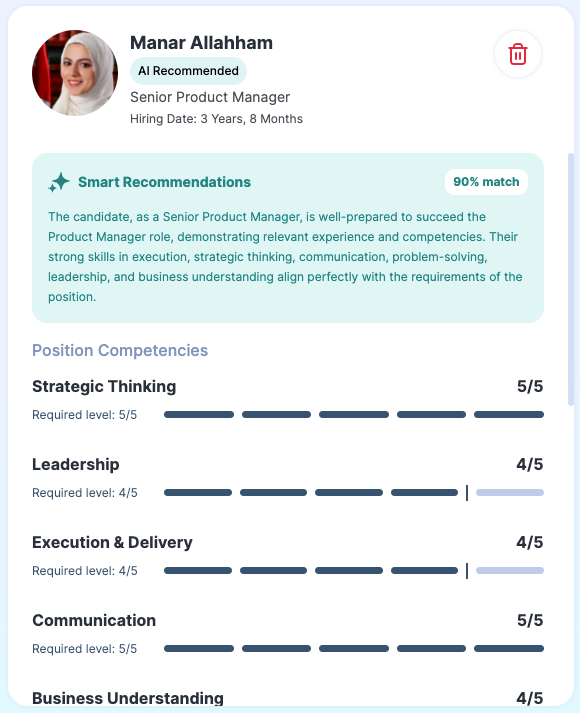
The successor box provides a complete overview to help you evaluate each recommended candidate. It includes:
Estimated hiring duration for the successor.
Match percentage, along with a clear explanation of why this employee was recommended.
Shared position competencies, showing:
The required competency level for the role
The employee’s achieved level
Additional competencies the employee possesses beyond the role’s requirements.
An option to remove the successor from the recommendations list if needed.
If you make any changes to the role’s competencies, you can ask ZenAI to generate updated recommendations by clicking on “Regenerate AI Recommendation.” This ensures the suggested successors always reflect the most recent competency requirements.

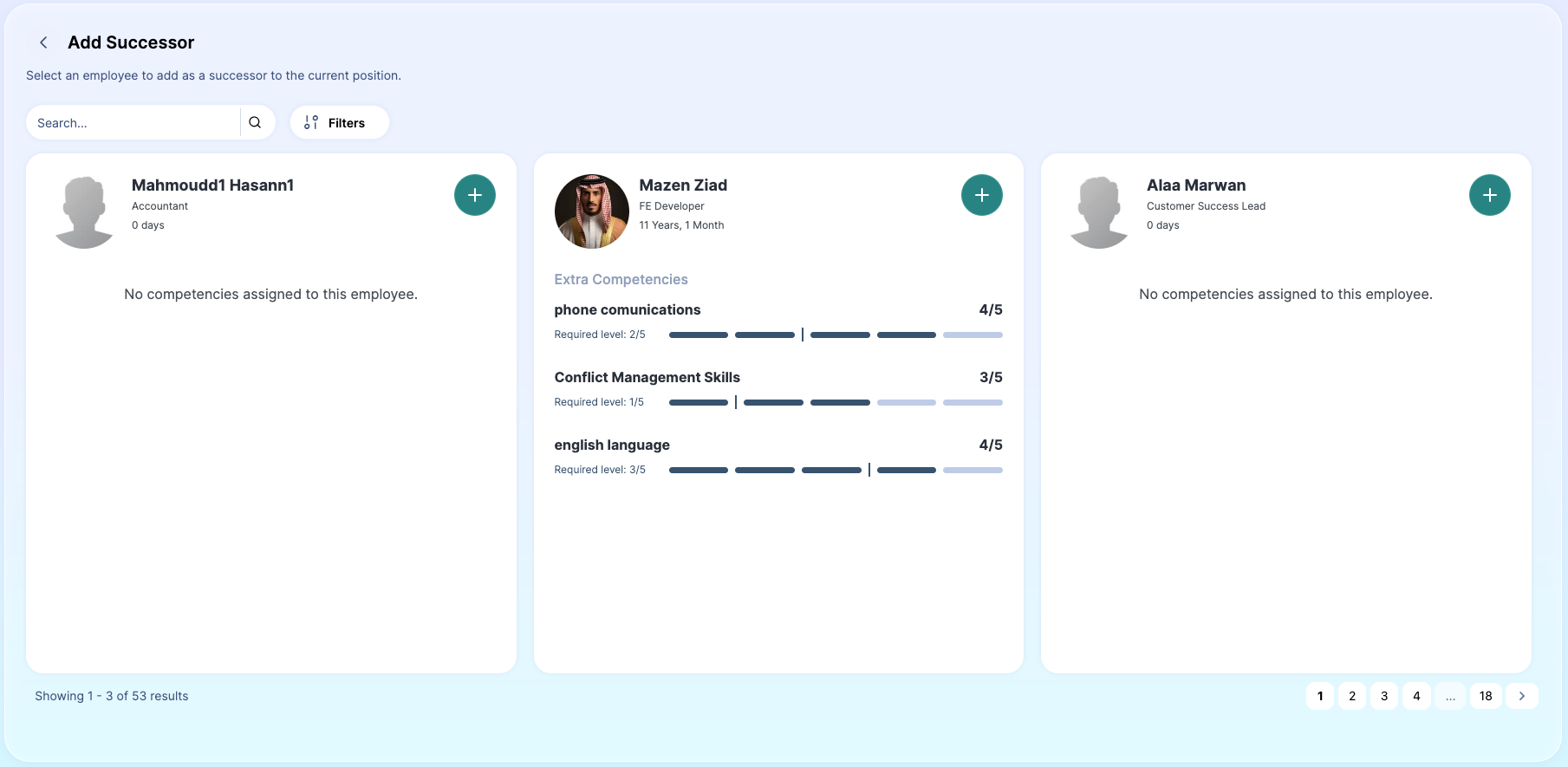
You also have the option to add successors manually by clicking on “Add Successor.”
Once selected, you can search for and filter employees within the system to find the specific successor you would like to add. This allows you to include candidates based on your own evaluation or business needs, even if they were not part of the AI-generated recommendations.
ZenATS AI Recommended Candidates
This section displays the best-fit candidates from your ZenATS Talent Pool. Recommendations are generated by ZenAI based on a detailed match between the position’s job description and the candidate’s analyzed profile data.
For each recommended candidate, you can view:
The match percentage and a clear explanation of why the candidate was recommended.
A summary of the candidate’s relevant experience.
An option to download the candidate’s resume for further review.
If you determine that a candidate is a strong fit and you have an open vacancy, you can directly add them to the vacancy by clicking the “+” button, allowing you to move forward in the hiring process seamlessly.
Employee Profile - Succession Planning
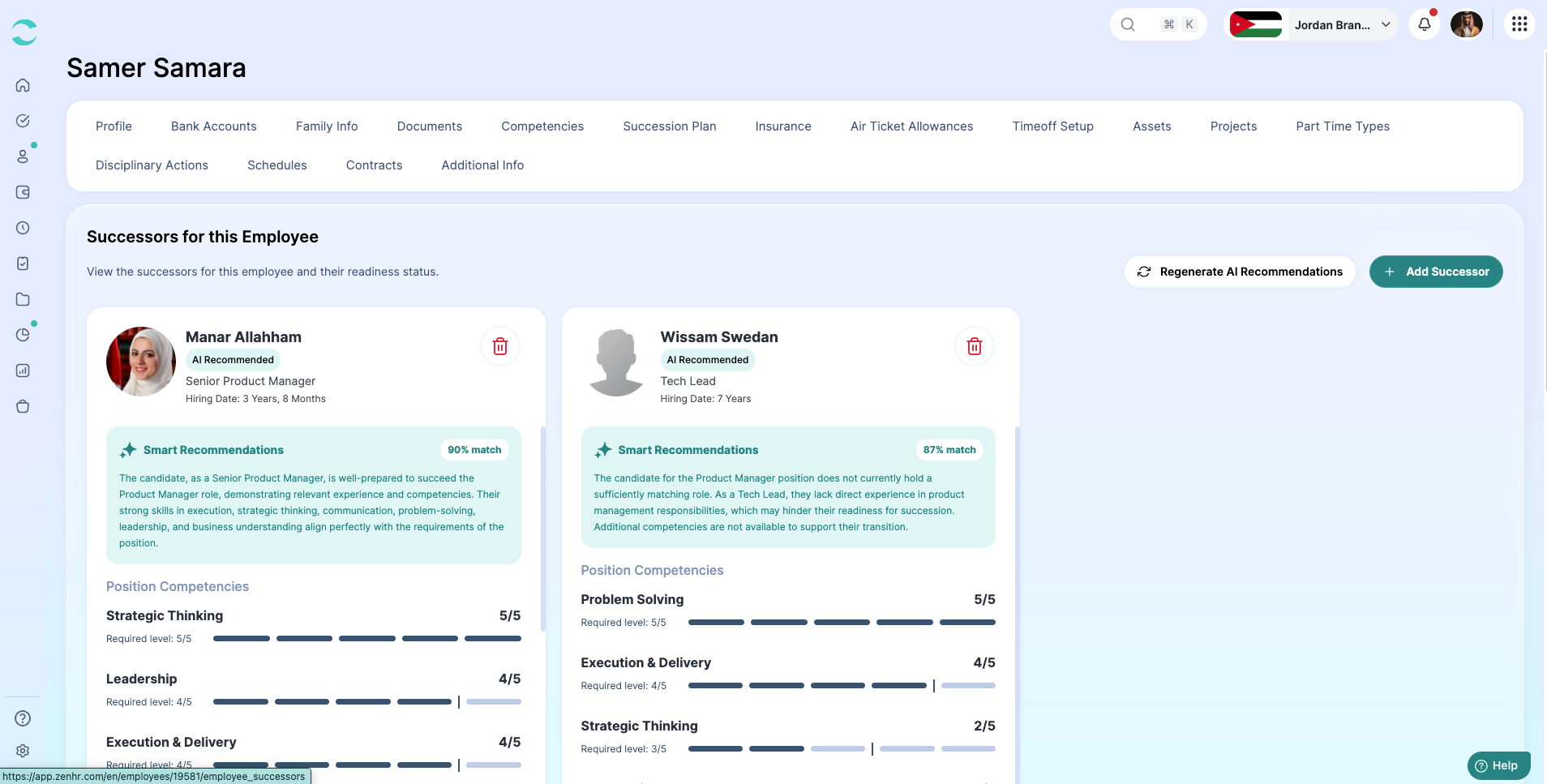
We’ve added a new Succession Planning tab within the employee’s profile.
From this tab, you can easily view, manage, and update the employee’s designated successors in one centralized place. This allows you to track succession readiness, review recommendations, and make adjustments whenever needed.
Was this article helpful?
That’s Great!
Thank you for your feedback
Sorry! We couldn't be helpful
Thank you for your feedback
Feedback sent
We appreciate your effort and will try to fix the article